Slack Integration Now Available on Messari Enterprise


Messari is excited to announce the release of our Slack integration tool, available for Messari Enterprise customers. This integration allows you and your team to receive real-time updates on 150+ assets, straight from your Slack Workspace.
In this article, we will provide an overview of the integration’s core features and a guide to activating Slack alert policies.
Slack Integration Core Features
Messari Enterprise provides customers with a one-stop-shop for all major ecosystem updates so that you and your team can focus on growing your products, not on fixing them. The platform’s in-depth alerting system includes network updates, technical upgrades, vulnerabilities, governance proposals, and more.
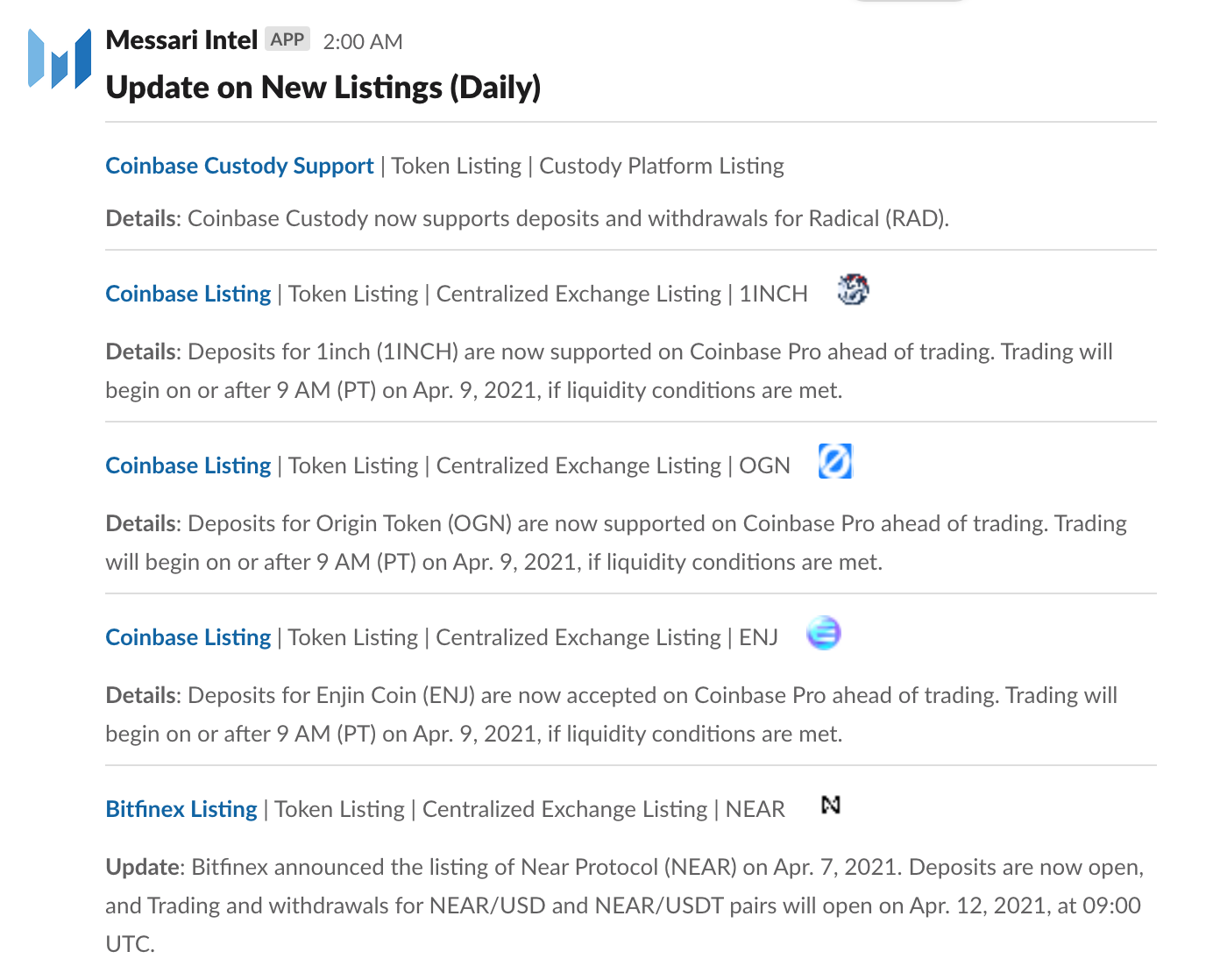
With over 150 different real-time asset updates available, Enterprise’s Slack integration tool makes the process of gathering and digesting Intel alerts even easier. The Slack integration tool allows you and your team to:
Gather Intel alerts straight into your Slack Workspace.

Create highly-filtered Intel alert conditions so you are only notified of the updates you care about.
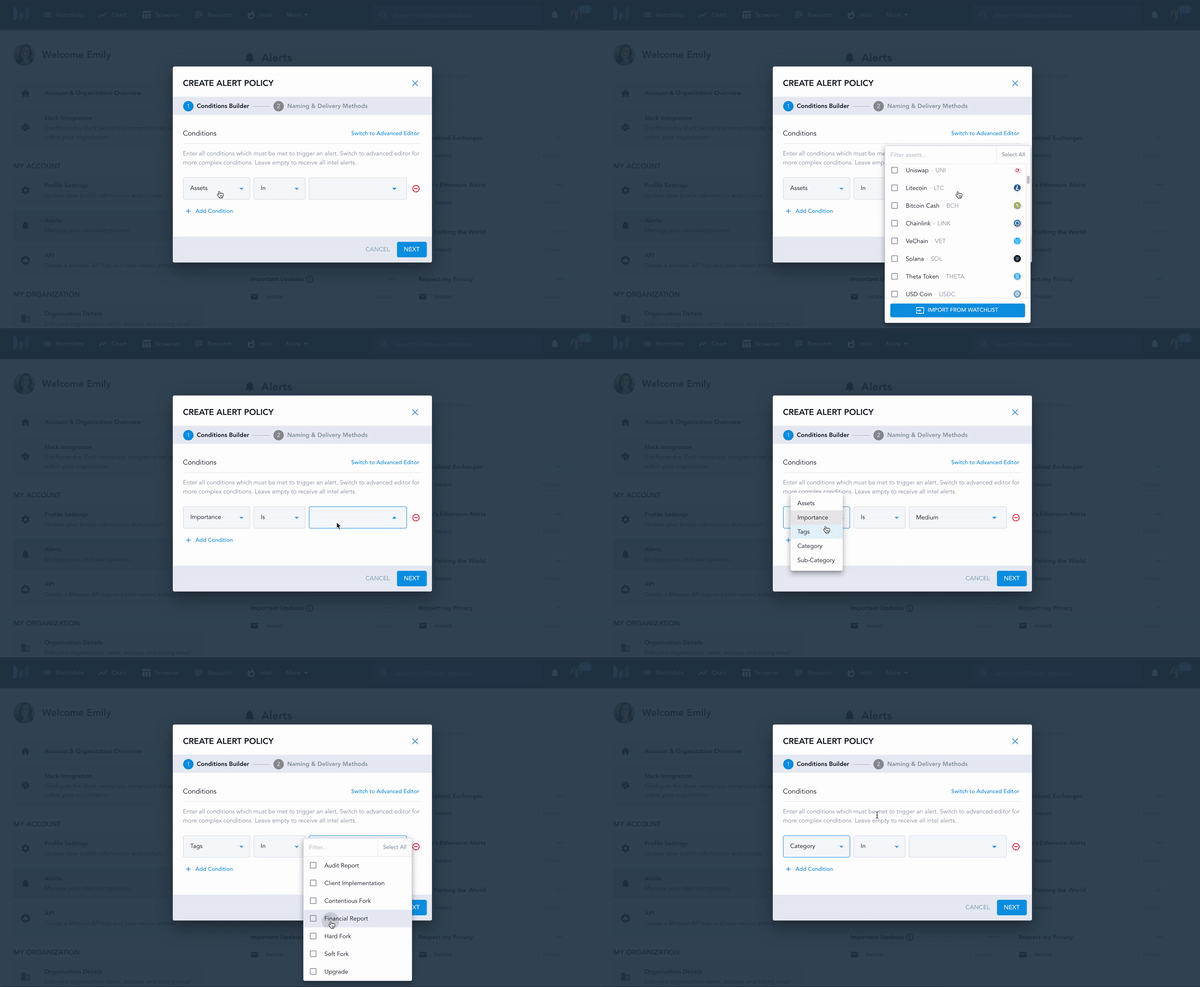
Adjust the cadence of alerts to deliver instantly, daily, or weekly.
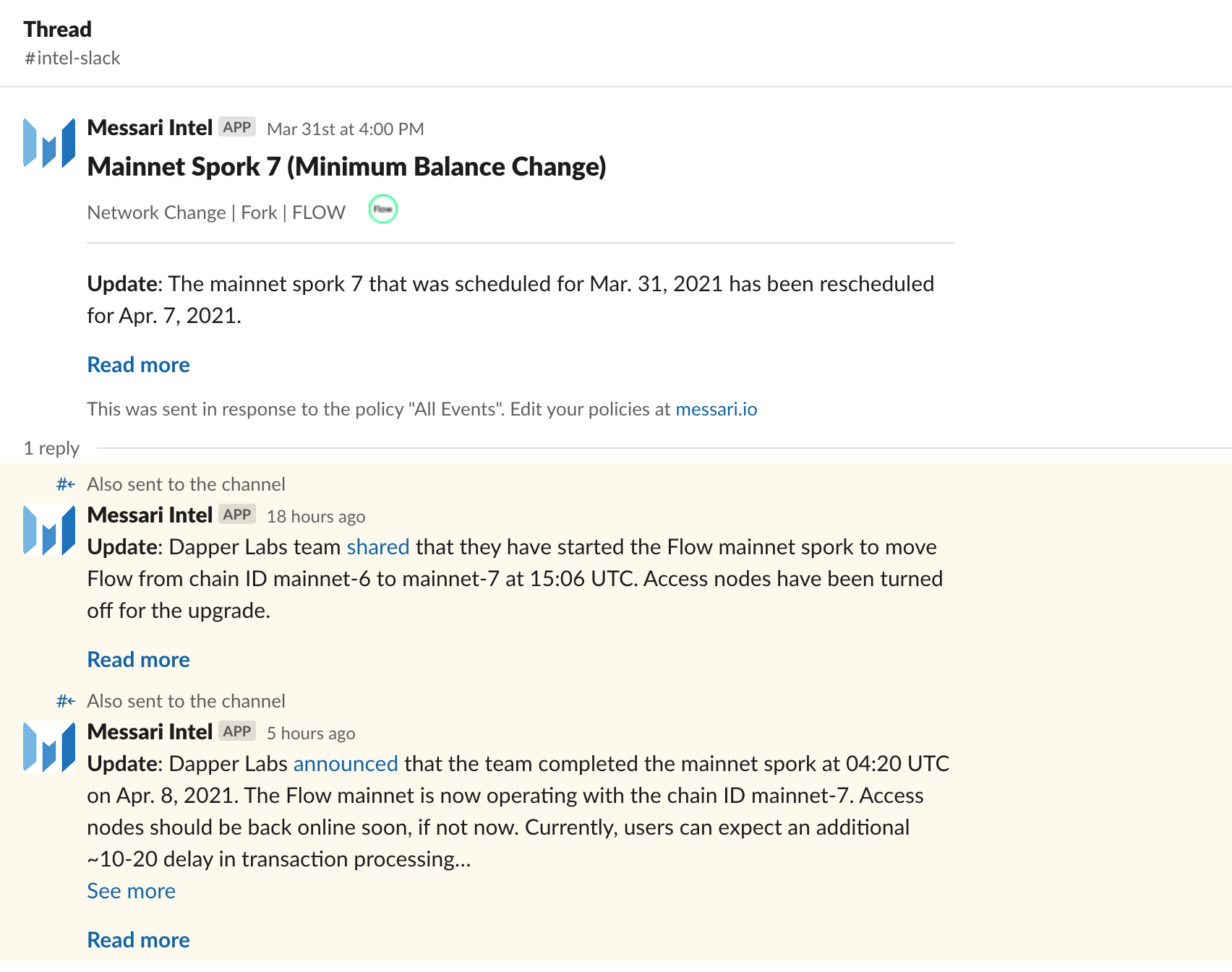
See all updates for an event post within the same thread as the original alert, making it easy to scan through the history of each event.
In a nutshell, we’ve provided you with another tool to help you further streamline your Enterprise asset alert collection process. Now you have more time for crypto Twitter! Err...we mean, work.
Not a Messari Enterprise customer? Start your 14-day FREE trial so you can give our Slack integration a spin.
Slack Message Alert Policies
Installing the Slack integration into your team’s workspace is painless, just ask our Lead Backend Engineer Kevin. Once you have completed your installation, all of your Messari organization team members will be able to create their own policies based on the Slack channels that are approved for connection.
The fun really begins now that you can curate your alert policies and conditions. Alert Policies are the conditions and rules you set to alerts to ensure your notifications fit the parameters you care about. To begin setting up your alert policies, head over to the “alert” page within your account.
You will see your existing alerts, as well as options to create new alerts. You can create alert policies in the following ways:
Creating New Alert Policies
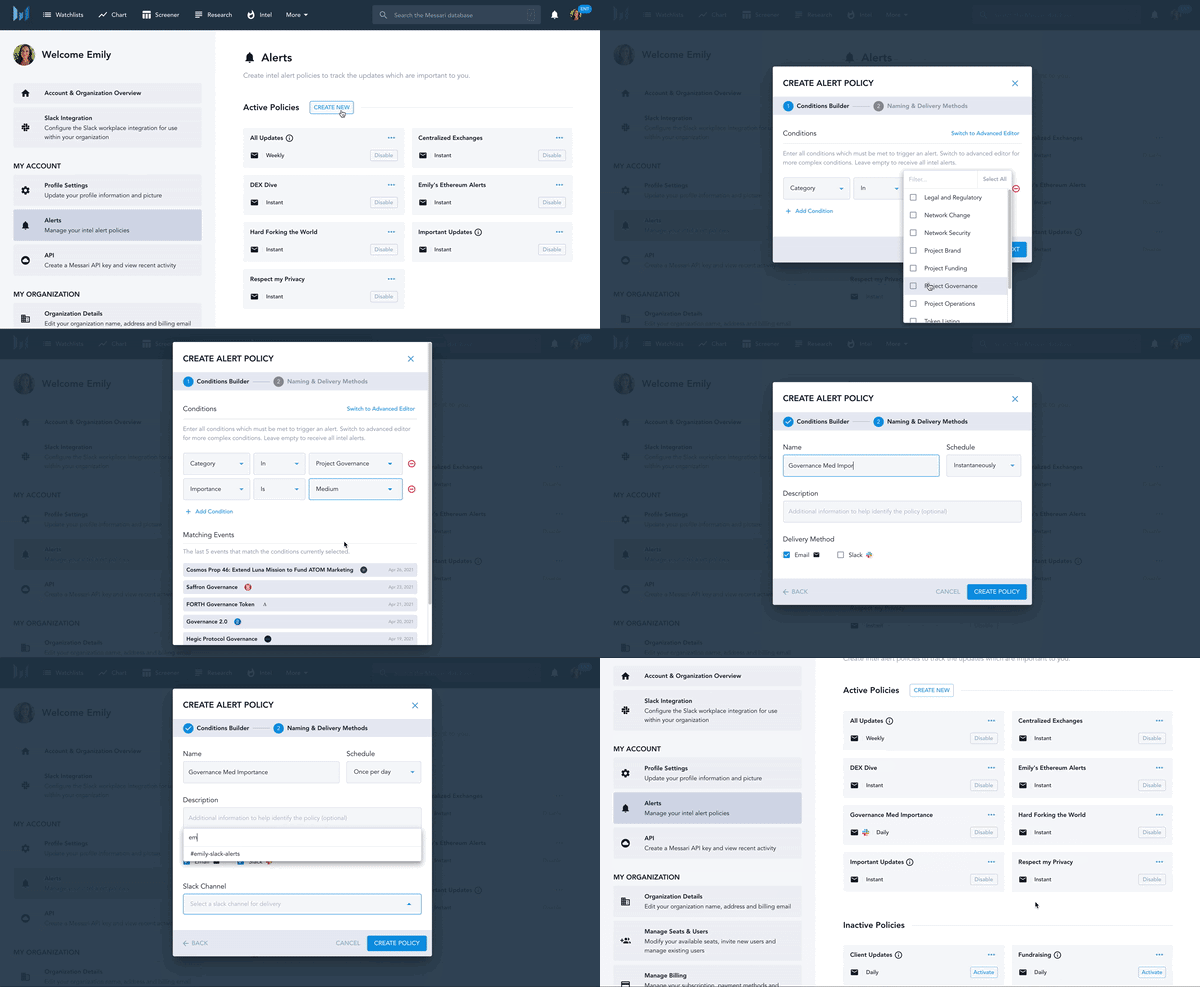
It’s easy to create new alert policies that fit your exact needs. Click on “Create New” then choose your conditions.
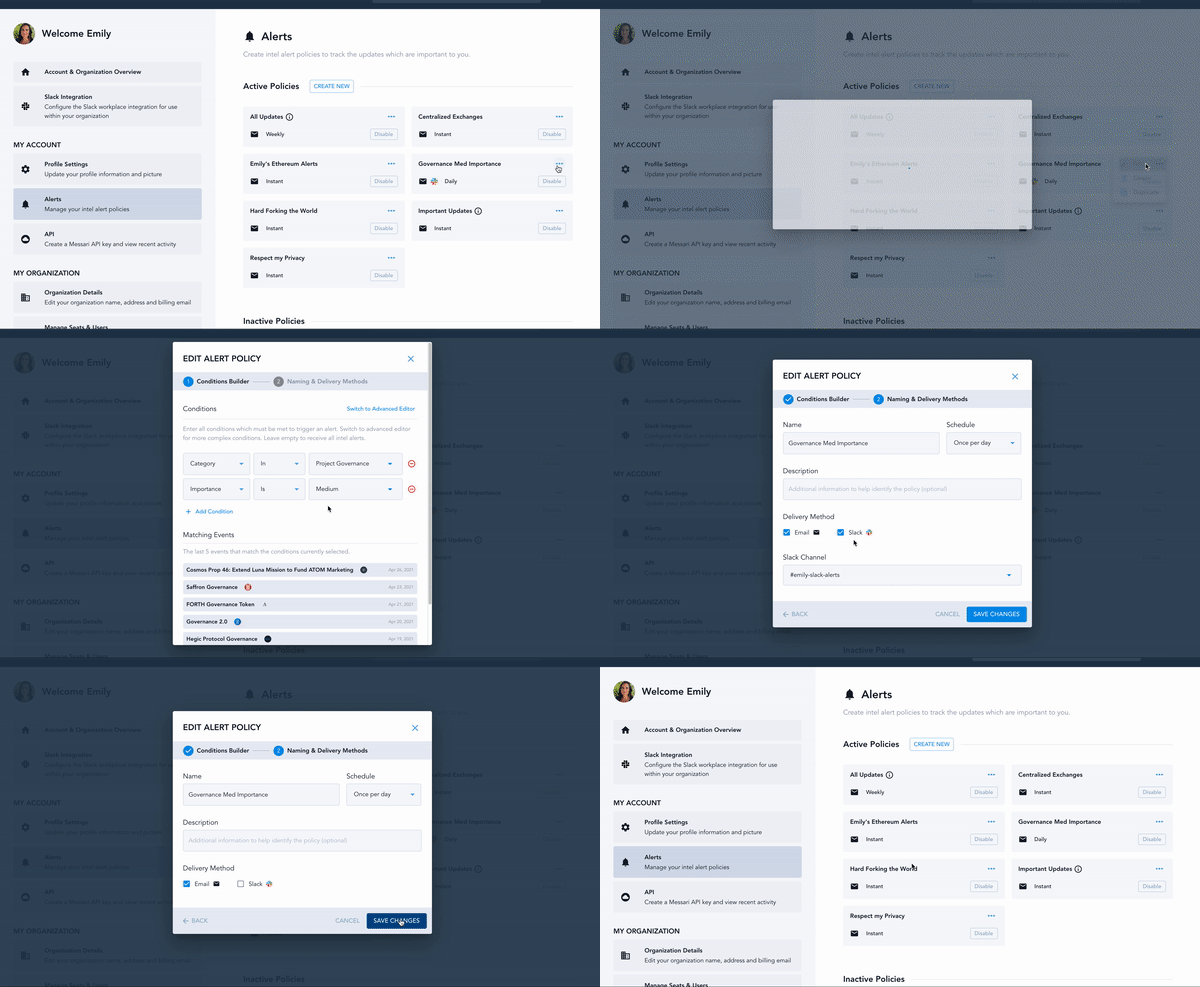
Conditions can be set by assets, importance, tags, category, and sub-category, and can have several dimensions to ensure you receive the exact alerts you need. In the below example, we set it by the category “Project Governance” and we want updates that are only seen as having “medium” importance. Name your alert, set your schedule, select a channel, and choose Slack as your delivery method.
Updating Active Alert Policies
It’s easy to adjust your existing Active Policies to activate Slack notifications. Simply click on the edit ellipses (...) on the chosen policy, click “Edit”, click “Next”, and select Slack as an added delivery method. Bam, you are set!

Disabling Alert Policies
Sometimes you are just ready to say goodbye to particular alerts. Luckily, removing your Slack alert is just as easy as creating and updating. Simply click on the edit ellipses (...) on the chosen policy, click “edit”, click “next”, and check off Slack as an added delivery method. No more alerts
As one of our most frequently requested Enterprise requests, we are excited to have Slack available to the world!
Want to try our Slack integration but are not yet a Messari Enterprise customer? Signup for our 14-day free trial, connect your Slack Workspace, and link your alert policies. It’s that simple to give it a try.
To learn more visit our Slack integration page. If you have any questions about how we collect, manage, and store third-party data for this integration, please * read section 4.7 of our Privacy Policy or shoot us an email at support@messari.io.
*By using the Messari Slack integration, you are consenting to the terms in our Terms of Use and Privacy Policy.
